
The counter screen, and the compliance that follows from it
Bills go out fast and correct. The GST returns are then built from those same bills — you do not enter anything twice.
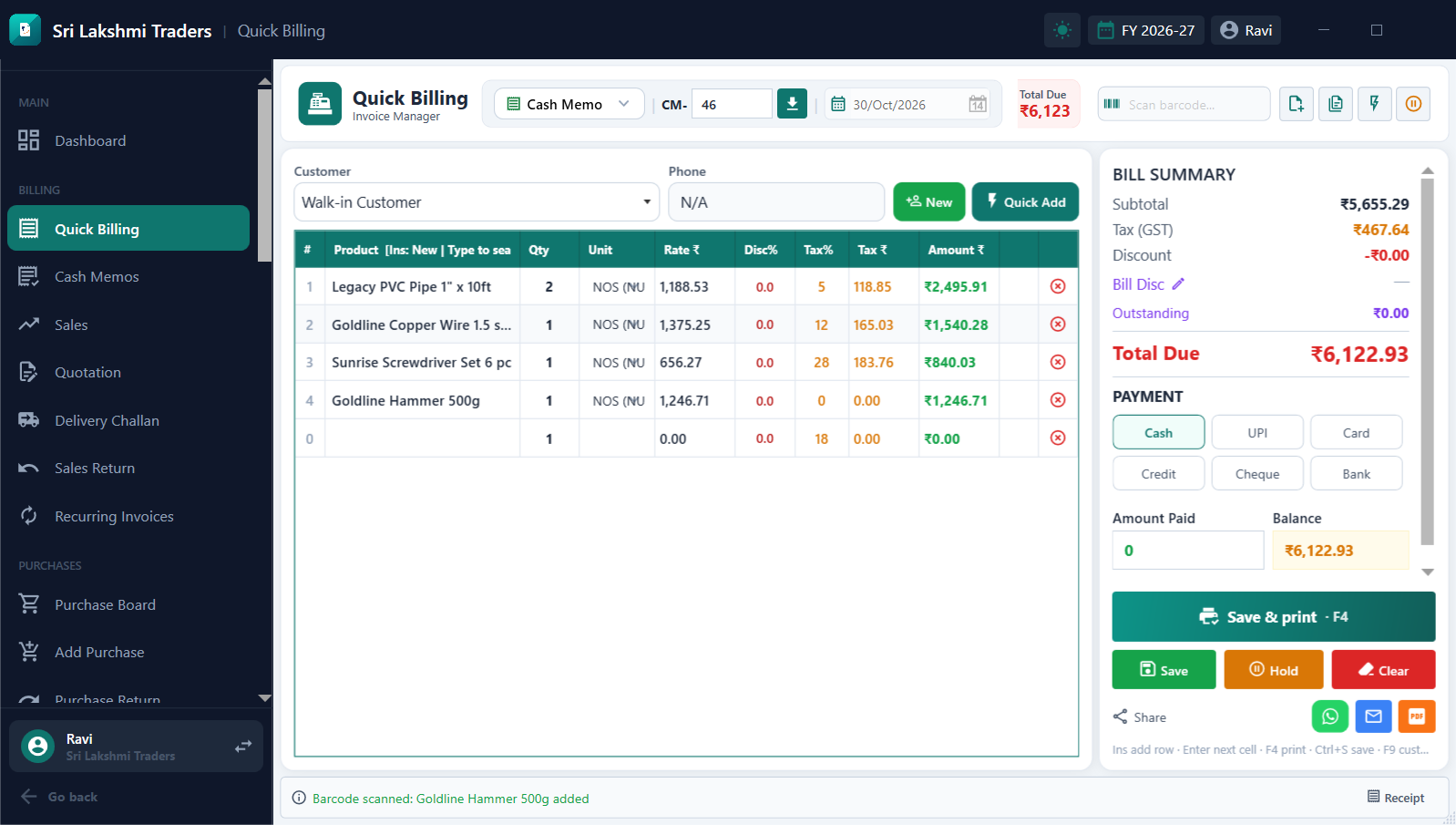
One bill, start to finish
Four steps, all of them on the keyboard.
Scan or search
Barcode straight into the grid, or type a few letters of the product name in the cell.
Adjust and discount
Change quantity inline, discount a line, or Ctrl+D for a discount on the whole bill.
Take payment
Cash, UPI, Card, Bank, Cheque or Credit. Enter what they handed you and it works out the change.
Print and move on
Ctrl+P prints. Ctrl+N starts the next bill. Nothing waits on a network call.
Built for hands that already know the keys
The billing screen is designed so a busy counter never reaches for the mouse.
- Search products in the cell — no dialog to open and close
- USB barcode scanners work as-is, matching barcode then product code
- Hold a bill when someone runs back for one more thing
- Favourite products as quick-pick tiles
- F9 adds a product or customer without leaving the bill
- F9Quick add product or customer
- Ctrl + DBill-level discount
- Ctrl + SSave bill
- Ctrl + PPrint / thermal receipt
- Ctrl + NNew bill
Returns that put the stock back
A sales return picks the original invoice, caps what can come back, and posts the credit.
- Search the original invoice, return whole lines or part of one
- Caps at what was actually sold, cumulatively across returns
- Stock goes back on the shelf automatically
- Credit posts to the customer ledger
- Purchase returns and debit notes for the supplier side
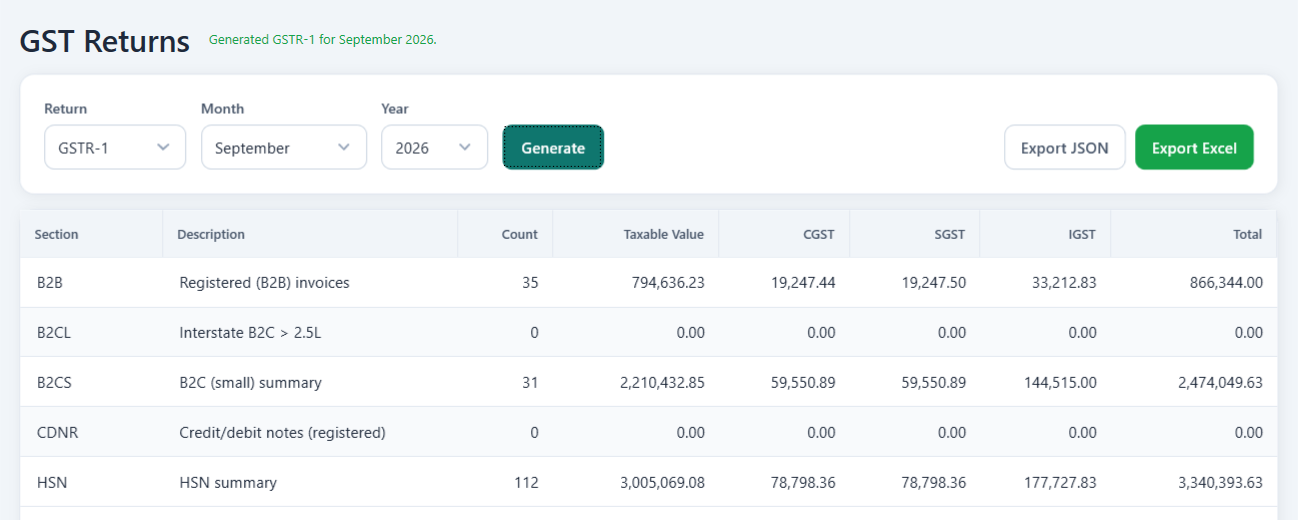
Filing time
The returns are an export, not a re-entry exercise.
GSTR-1 and GSTR-3B
Both are assembled from the invoices and credit notes already in the app, split into B2B, B2CL, B2CS, CDNR and HSN sections. Export JSON for the government offline utility, or a five-sheet Excel workbook if your accountant would rather read it. You file on the portal as usual.
An audit log, not a black box
Every invoice, payment, return, expense and recurring invoice that gets created, edited or deleted is written to a log that can't be edited or erased afterward, with who did it and when. Filter it by date, type or free text. It exists so that "who changed this bill?" has an answer.