
Invoices that look like yours, not like ours
Most billing software gives you a handful of fixed formats and a logo slot. This is a designer — you build the document, and watch it update as you go.
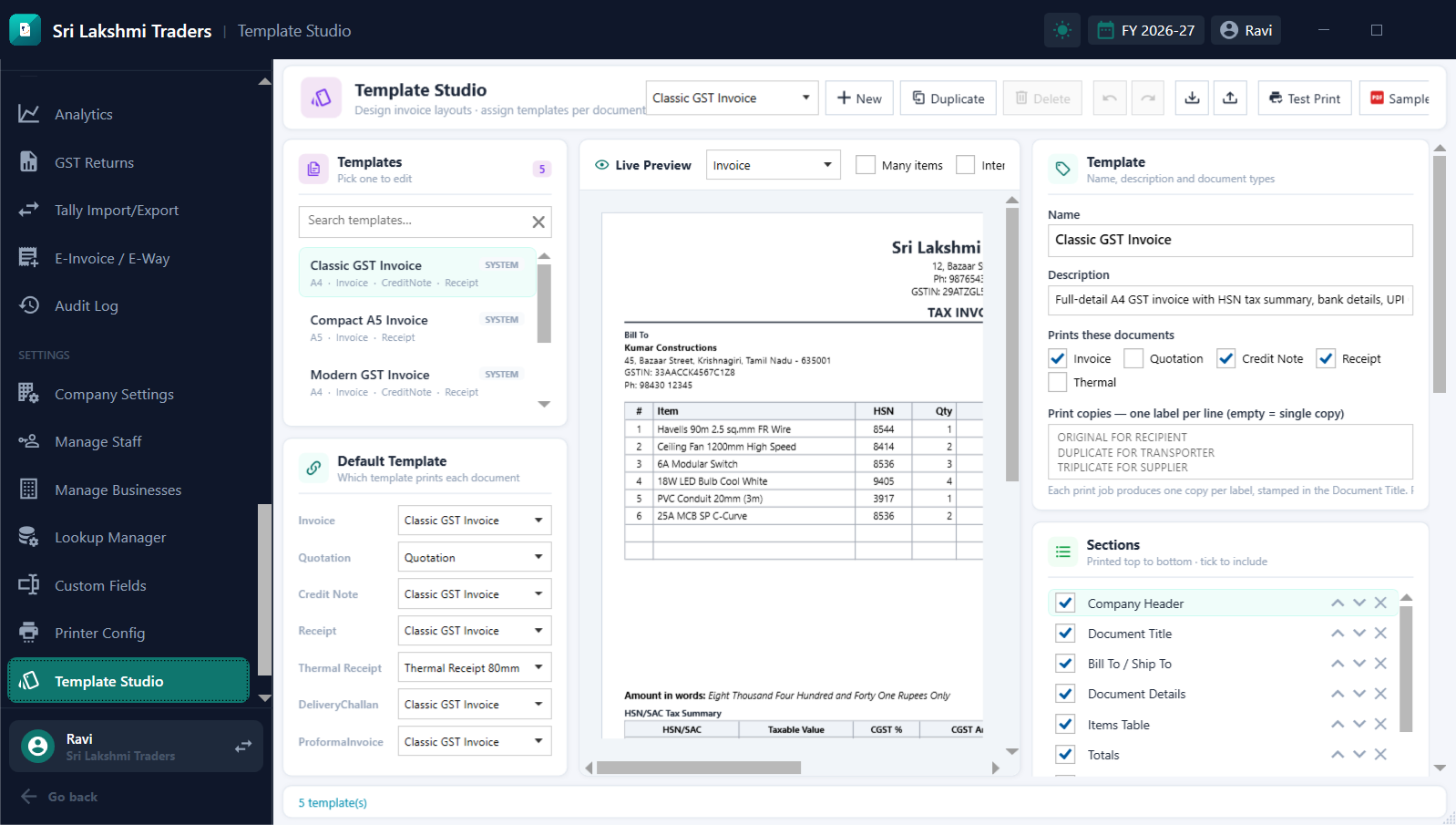
What you actually control
Four groups of settings, all of them reflected in the preview immediately.
Sections
Add, remove, reorder and toggle each band of the document — header, parties, item table, GST summary, terms.
Page
Paper size, orientation, margins, and how many items sit on a page before it breaks.
Theme
Font family, base size, accent colour, zebra rows, and whether the header repeats on page two.
Preview
Live, with zoom, and toggles for document type, long bills and IGST so you can see the awkward cases.
Start from one of five
Five templates ship with the app, so you are editing something rather than staring at a blank page:
Assign a different template per document type, duplicate one to experiment, and undo if it goes wrong. Export a template as JSON to move it to another PC or send it to us.
The details that matter on paper
- Your logo, at the size you set
- HSN-wise GST summary on the bill
- IGST totals handled for interstate
- Amount in words, Indian format
- Measured pagination — long bills break where they should
- A4, Letter, Legal and thermal widths
- Real PDF export, not a screenshot
A UPI QR on the bill, with the amount already in it
Set your UPI ID once in Company Settings and every invoice carries a QR the customer can scan and pay — no typing the amount, no reading out a number.
- Amount is pre-filled in the QR, not entered by the customer
- Prints with a "Scan to pay ₹X" caption
- Flows through to print, preview and PDF alike
- Works on any UPI app the customer already has
Design your invoice tonight.
Template Studio comes with Premium, and it is unlocked for your 14-day free trial.
Download for Windows