
Know what is on the shelf without walking to it
Stock moves as you bill and as you buy. The alerts are there so you find out before the customer does.
Multi-UOM
Buy in cartons, sell in pieces, with conversion factors per product.
Batch & expiry
Captured on the purchase line, tracked against the product.
Barcodes
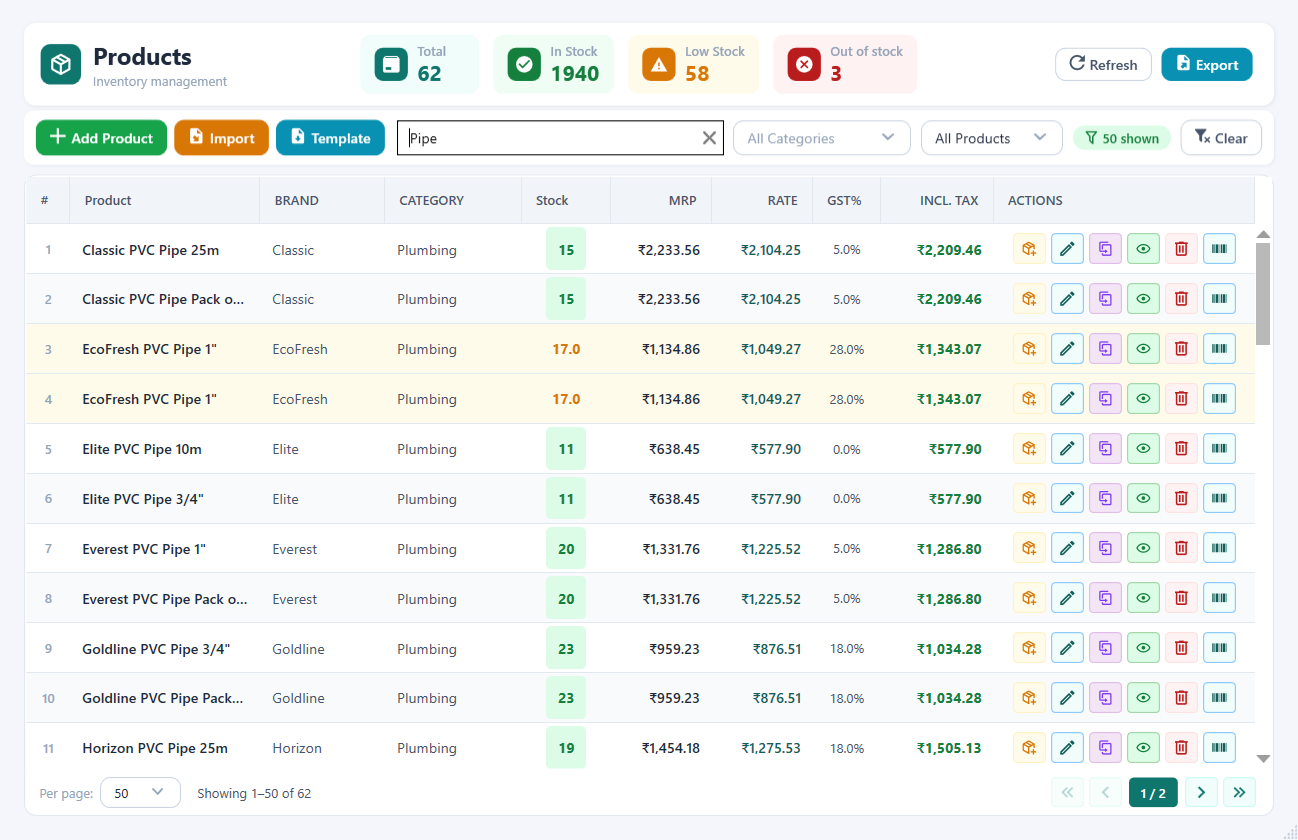
Scan to bill, and print Code128 labels from the product row.
Bulk pricing
Update MRP, sales or purchase rates across a whole brand or category.
Two lists you should look at every morning
Low stock and expiring soon, in one dialog, with the action attached.
- Low stock against the minimum you set per product
- Expiring soon with a 30-day default window and batch numbers
- Filter the product list by In Stock, Low Stock or Out of Stock
- Adjust stock inline from the product row
- Generate a purchase order straight from the low-stock list
Stop typing supplier bills
Point it at the bill your supplier handed you and let it fill in the purchase grid.
- Reads a PDF or a phone photo of the invoice
- Fills product, quantity, rate and tax lines
- Preview and confirm before anything is saved
- Margin in ₹ and % as you go, with purchase, bill, MRP and sales rates
- Batch and expiry captured on the line
AI invoice scanning uploads the bill to a cloud vision service to read it, so this feature needs an internet connection. It is the only part of the app that sends your documents off the machine.
Reordering
From "we are nearly out" to a purchase order, without a spreadsheet.
Purchase orders from low stock
The app groups what you are short of by the supplier you last bought each item from, and works out a suggested quantity from your minimum stock level. You get a draft PO per supplier to review, send and mark received.
Getting your catalogue in
Import products from a CSV using the template the app gives you, or add them one at a time from the bill screen with F9 as they come up. Export the catalogue back out to CSV or Excel whenever you want it.
See it against your own catalogue.
Import a CSV and have it stocked in a few minutes.
Download for Windows